

Note: Perpetual Timers are only available in the Pro Edition. Sign up for a plan today on our home page.
Perpetual Timers are a custom type of countdown timer that allows you to set a specific time duration. For example, you can create a timer that always counts down for 24 hours.
To create a Perpetual Timer:
1. Click “Create New” while on the “Timers” page within the Pro Edition dashboard:

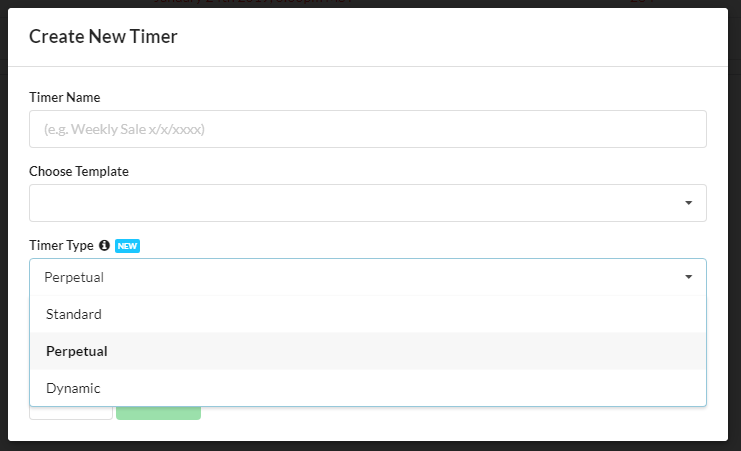
2. Choose “Perpetual” in the “Timer Type” dropdown:
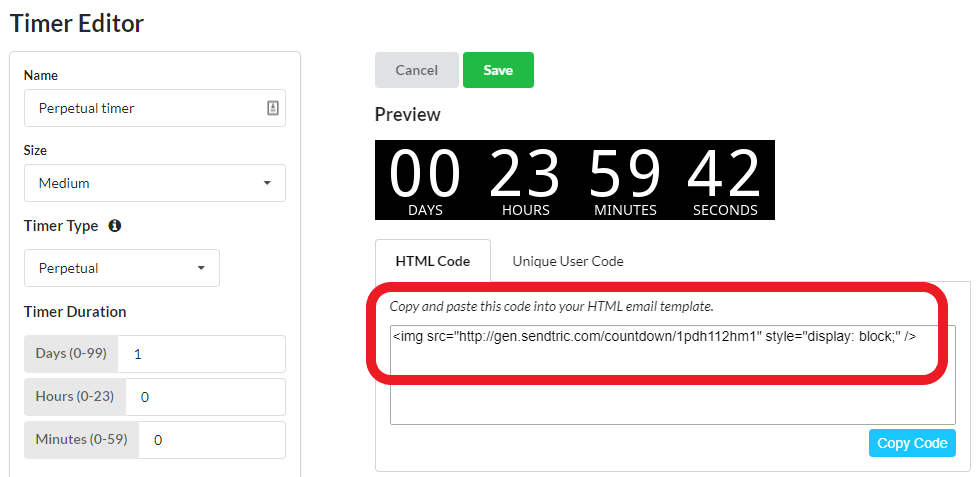
3. Enter your desired timer duration amounts for Days, Hours, and Minutes (up to a maximum of 99 days):

4. Customize your timer in the editor, and when finished, copy the embed code to include in your HTML email template:
That’s it! You are ready to use your Perpetual Timer! Check out our Unique User timer guide for information about the “Unique User” extension of the Perpetual Timer.