
This guide will cover integrating Sendtric countdown timers in the Klaviyo platform. To see our full list of setup guides, click here.
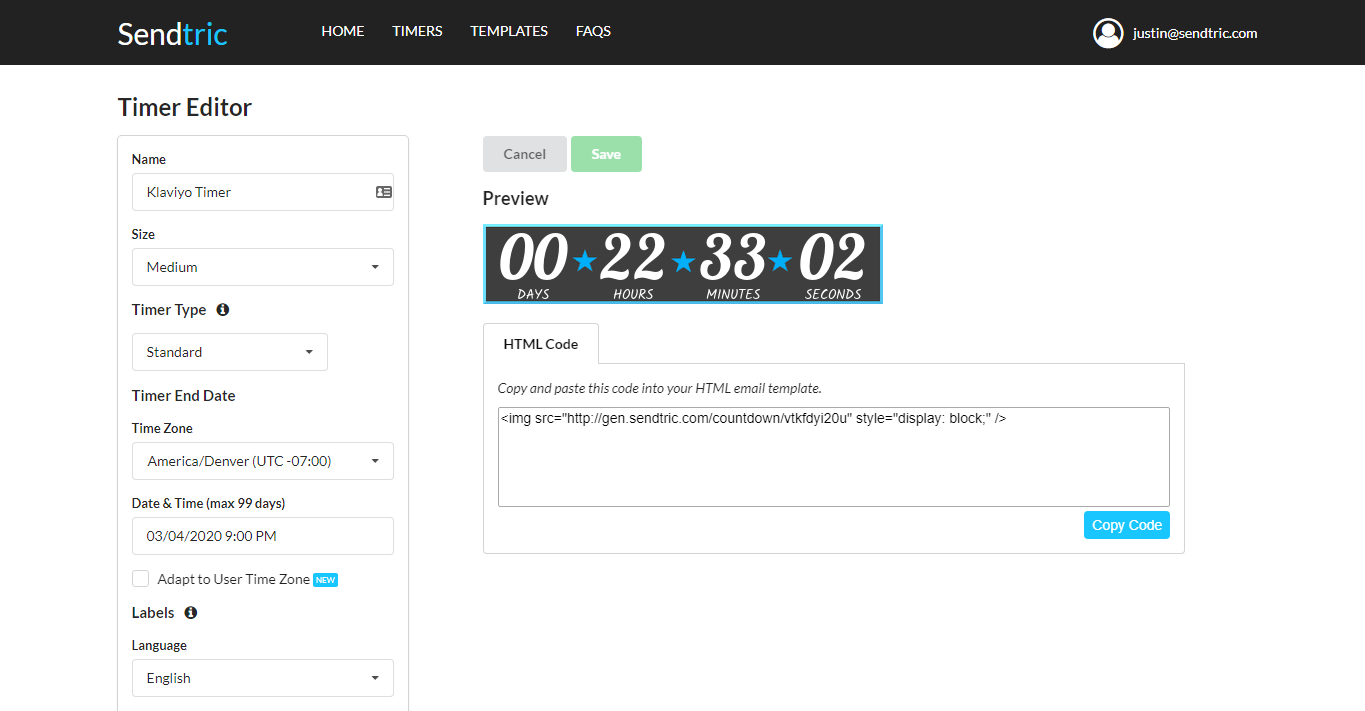
1. Create your timer on Sendtric:
2. Create a Text Block using the Klaviyo drag and drop editor and click on the “Source” button. Paste in your timer code:
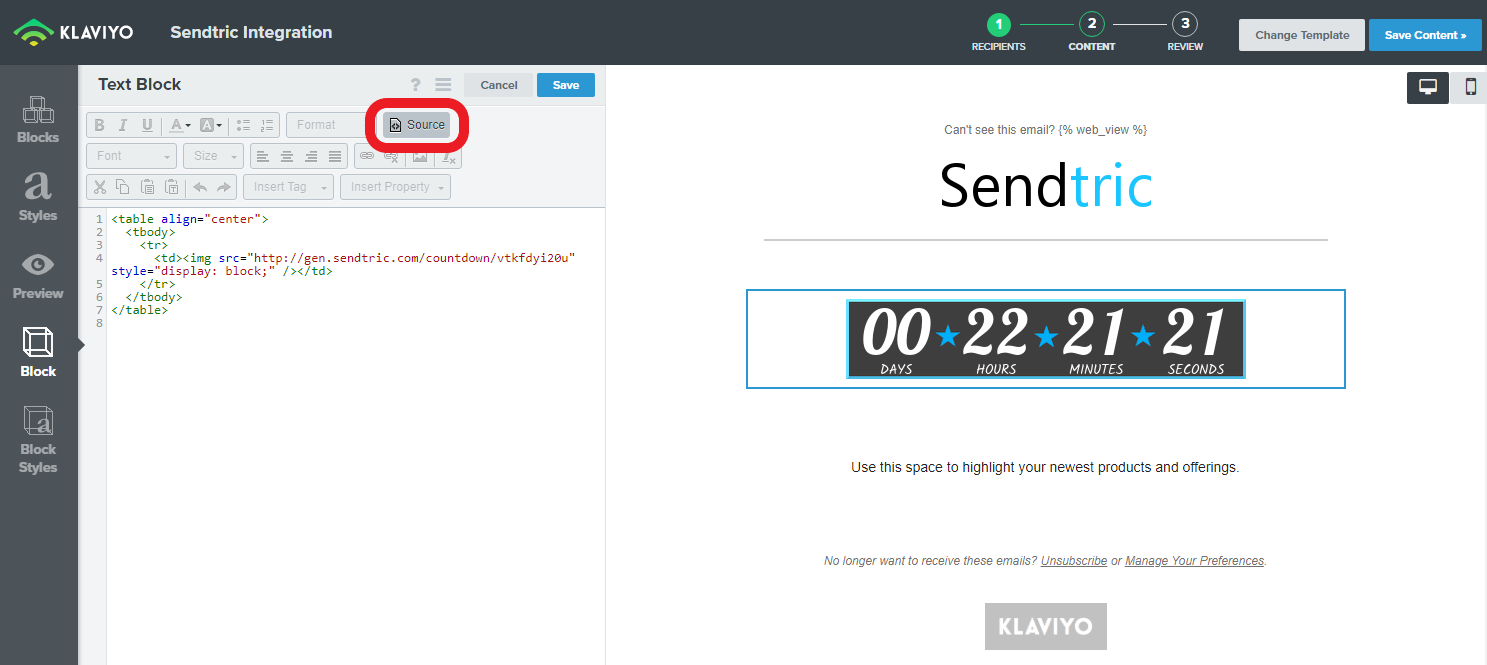
You can use the following code to help center your timer:
<table align=”center”>
<tbody>
<tr>
<td>{your timer code goes here}</td>
</tr>
</tbody>
</table>